
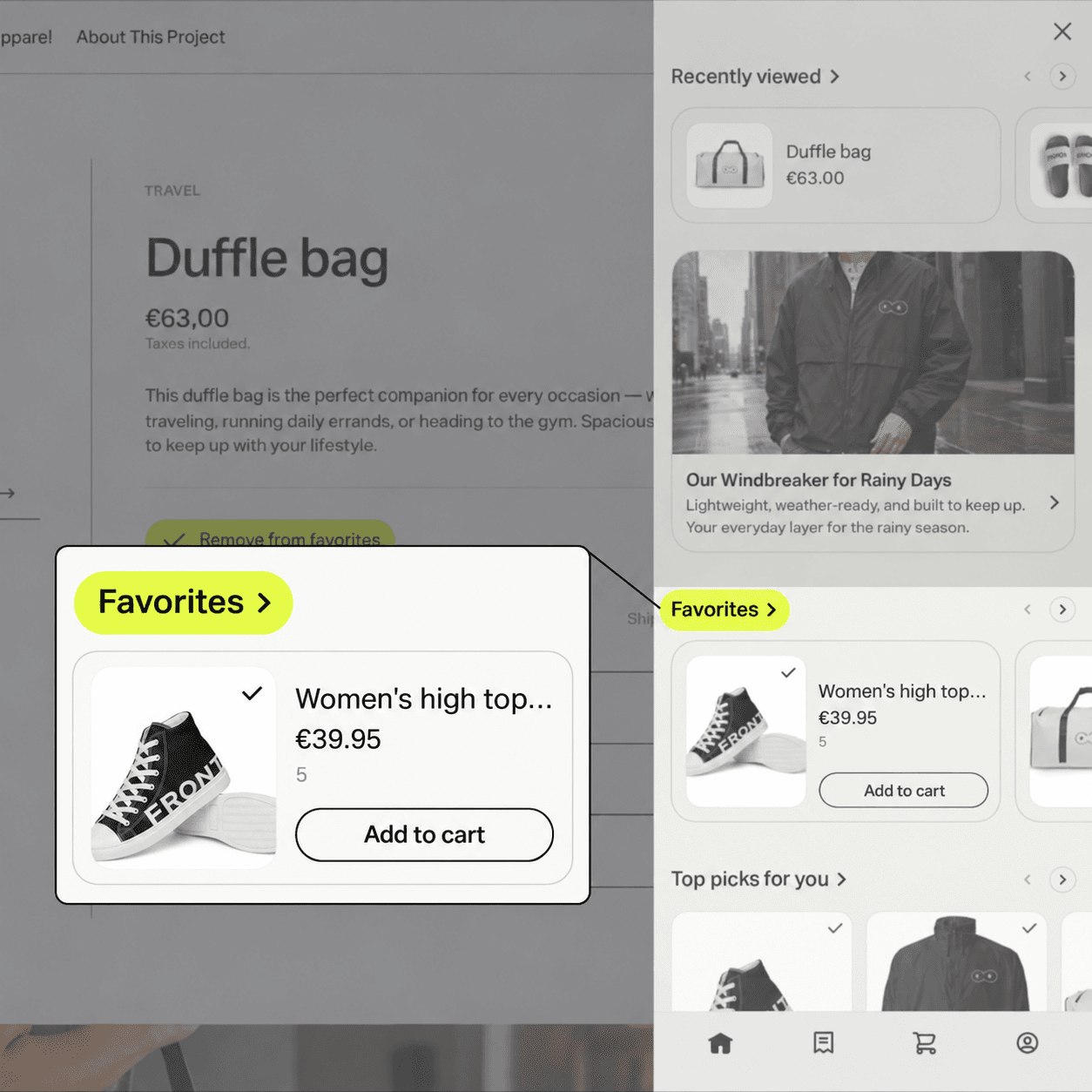
Shopify has no built-in wishlist, so many brands pay for an app or custom development. At the same time, more than 117,000 brands use Klaviyo with Shopify. If you use both, Favorites in Customer Hub might be the solution to give your shoppers a simple way to save products and let you follow up with reminder and price-drop emails.
That left me with one question: could Klaviyo Customer Hub give Shopify brands the wishlist they’ve been missing?
Customer Hub is Klaviyo’s onsite account experience for Shopify. One of its features, Favorites, lets shoppers save a product directly from its product page and find it again in the Hub. In simple terms, it gives a Shopify store a wishlist connected to Klaviyo.
The idea sounded simple, so I looked more closely at how Favorites is set up and what Klaviyo records when a shopper saves a product.
Add Favorites to a Shopify product page
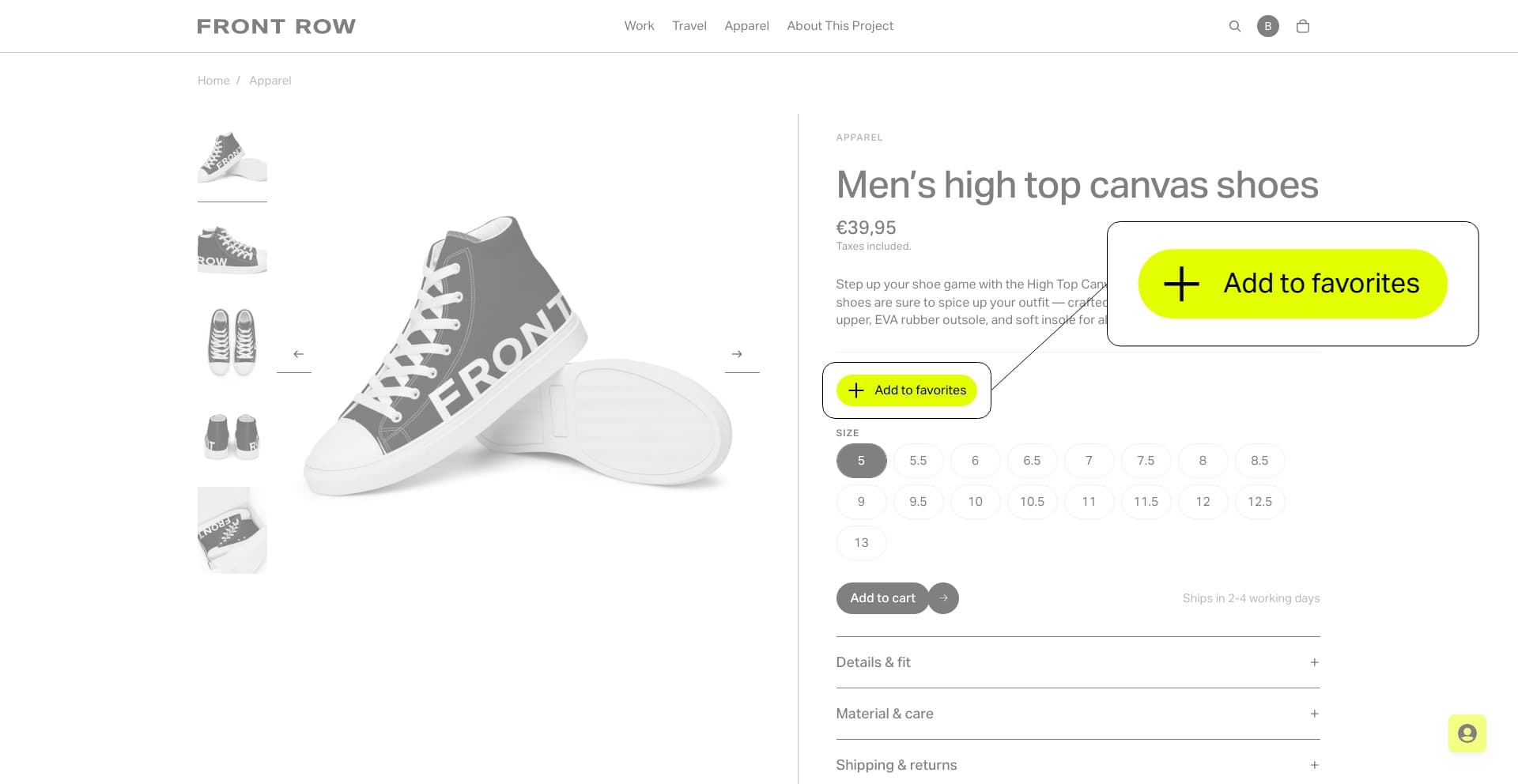
The setup is straightforward. In Klaviyo, choose Add app block under Favorites. Shopify’s theme editor opens with the block on the product page. Drag it into place and choose the button style or icon. A standard Shopify storefront does not need a custom wishlist build. Shopify Headless is supported too, with a separate setup.
For shoppers, it is simple: tap Add to Favorites on a product, then find it in the Hub. That is the wishlist.
Already have saved favorites elsewhere? You can import existing items with a CSV file, so shoppers do not have to start from scratch.
What happens when a shopper saves a product?
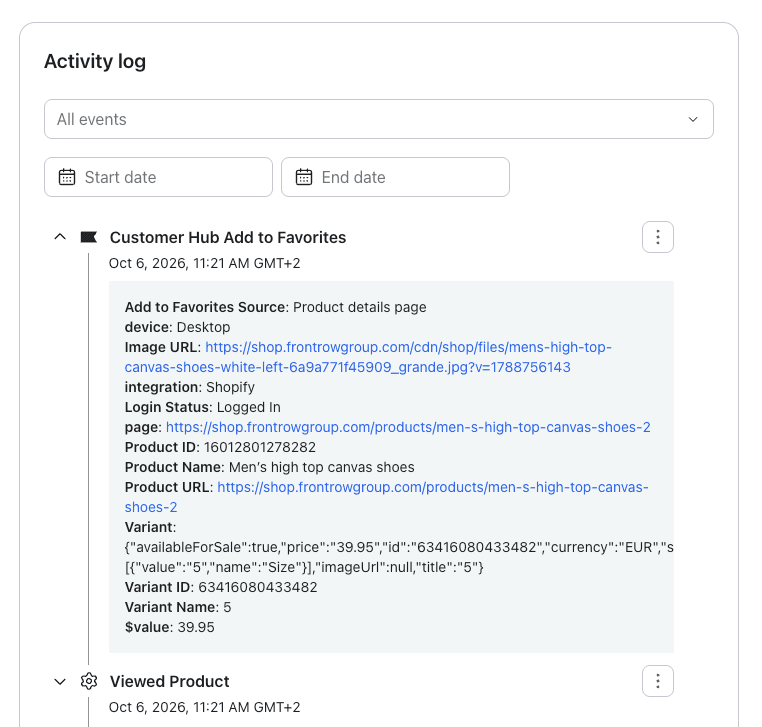
Each time a shopper saves a product, Klaviyo records a Customer Hub Add to Favorites event.
The event includes product details like the name, selected variant, image, product link and value. Klaviyo also records where the save happened and the shopper’s login status. That turns a wishlist action into data you can use in an email flow.
This is where it started to feel bigger than a simple wishlist to me.
Set up Favorites reminder and price-drop flows
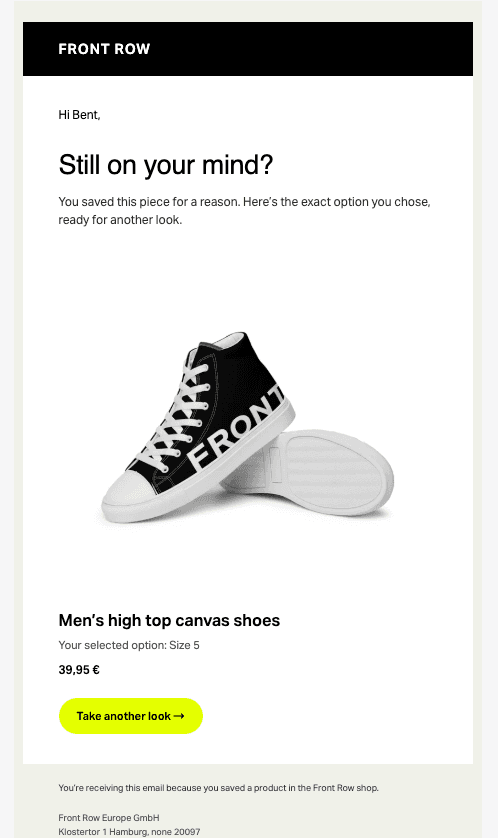
First, a Favorites reminder email. A flow can start when someone saves a product, wait a few days, then send an email that brings the saved item back to mind.
Second, a Price Drop flow. Klaviyo has a built-in Filter by favorites on the Price Drop trigger. Choose “Only if favorited” and the email goes to shoppers who saved that product. You do not need to build a separate segment for this.
For Black Friday, a brand could ask shoppers to favorite the products they want to watch. When a saved product drops in price, Klaviyo can email those shoppers. The same idea works for brands that change prices dynamically throughout the year.
This was my “wait, that’s already built in?” moment. No extra segment workaround needed.
We help brands connect details like this to a well-built CRM journey, from event data and audience logic to message timing and the email itself.
Use variant data in Favorites emails
This is the detail that got me excited: the event includes the selected variant’s name and ID. If a shopper saves a particular color or size, that choice is part of the event.
In the test shown here, the variant name is “5.” With the right email setup, that value can be included in the reminder alongside the product image, price and link. The example email below shows “Size 5” as the selected option—it’s the shopper’s choice for this product, not a statement about their usual shoe size.
Why Favorites matters for Shopify D2C brands
If you already use Shopify and Klaviyo, Favorites connects a save on your site to your CRM. The heart button is simple; what matters is that the save comes with product and variant data you can use in email flows.
It will not replace every wishlist app. If you need shared lists, gifting or advanced wishlist tools, a dedicated app may still be the better choice. But if you mainly want shoppers to save products and follow up through Klaviyo, Customer Hub gives you a simpler option to explore.
This is part of Front Row’s D2C in Practice: Shopify x Klaviyo series. I’m looking forward to exploring more of Customer Hub in future posts.
We help Shopify brands configure Customer Hub and connect onsite behavior to relevant CRM journeys, from event data and audience logic to flows and email creative.
What else can Klaviyo Customer Hub do?
Customer Hub is Klaviyo’s onsite customer account experience for Shopify. It brings the account area into a personalized drawer or panel, where shoppers can find things like order details, profile information and saved products. Shopify Headless storefronts are supported too, with a different implementation.
Favorites is just one piece. Depending on what a brand enables, Customer Hub can also include recently viewed products, recommendations, coupons, FAQs and personalized content blocks. Its main areas can cover orders, profile and, optionally, cart and chat. Integrations can add loyalty information from Smile.io or Yotpo, subscription management with Recharge, richer order tracking, returns or support. These are configurable extensions, not features that are automatically live for every store.
For international stores, Klaviyo can translate standard interface text into supported languages. Brands manage translations for their own custom content separately.
That is the bigger picture I missed at first. I went looking at a wishlist and found another way to connect storefront behavior with the CRM. I’m already curious to dig into the other Customer Hub features in the next posts.
Customer Hub starts at $20 per month for up to 10,000 active profiles. This is the Customer Hub price, not the full cost of a Klaviyo account.